
 By 3dzyk
 Snapmaker U1 Redefines the Entry Barrier for Multi-Color 3D Printing with an Entry-Level Price Point.
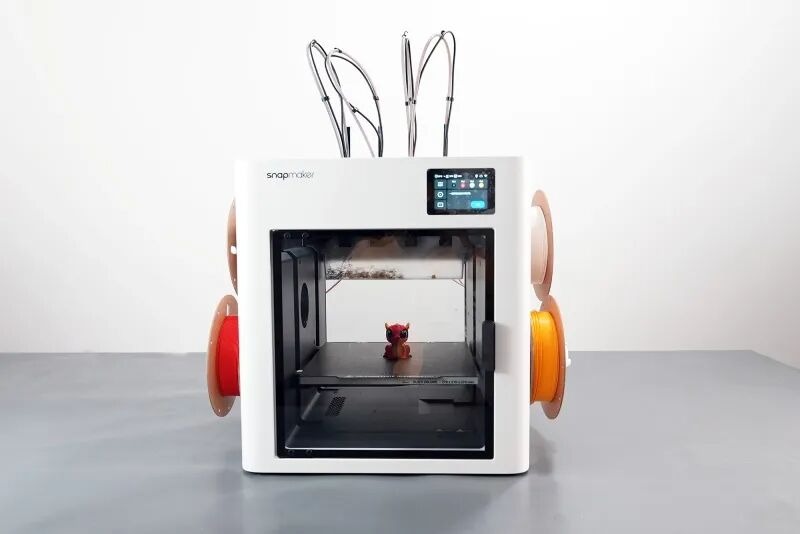
Remember the first machine we reviewed, the Snapmaker J1? After two and a half years, Snapmaker once again introduces a new product poised to disrupt the industry landscape: the Snapmaker U1.
This is a high-speed 3D printer featuring a semi-enclosed design, built on a CoreXY architecture, and equipped with an independent four-toolhead switching system. As the highest-funded 3D printing project globally to date, the Snapmaker U1 has earned the support of over twenty thousand backers, and its overall performance fully justifies its price point.
In the past, multi-toolhead 3D printers with automatic tool-changing systems were often seen as expensive, high-end equipment, placing them out of reach for many users. The arrival of the U1 has truly brought multi-toolhead printing into the view of more everyday makers. More importantly, it makes multi-color printing both fast and economical, effectively reducing material waste while significantly cutting down on printing time.
Indeed, it’s not that users didn’t appreciate multi-color printing—they just wished the U1 had arrived sooner.
Currently, the Snapmaker U1 is priced at 5,999 RMB for its market release. With national subsidies applied, the estimated final cost for consumers could be as low as 4,504 RMB, which is half the price of the J1 from years past. Frankly, at this price point and with its specifications, it faces almost no direct competitors in the current market.
We have long predicted that 2026 would be the era of multi-toolhead printing, and now it seems Snapmaker has clearly fired the first shot.
Specification:
Technology:FDM/FFF
Product dimension:584*499*730mm
Build Volume:270*270*270mm
Fastest speed:500mm/s
Build Platform:PEI coating flexible steel
Nozzle Highest Temperature :300°C
Heated Bed Highest Temperature:100°C
Software:Snapmaker Orca
Material:PLA、PETG、TPU、PVA etc
File Delivery:WiFi/Flash Drive
User Interface:3.5in touch screen
Product weight:18.2kg
Market price:5999 CNY(Domestic in China only)
Snapmaker U1 Review Result
Pros:
Multi-color Printing: Efficient and Material-Saving
Four independent toolheads support multi-material printing
Affordable price and user-friendly operation
Cons:
Unenclosed chassis limits material compatibility
Supporting software still has room for improvement
Partial assembly precision needs strengthening
While the Snapmaker brand might not be widely recognized, many users are likely familiar with its “3-in-1” machines like the Snapmaker 2 or Artisan. These devices were among the first on the market to integrate 3D printing, laser engraving, and CNC cutting into a single system. Now, with the release of the U1, the brand has truly made a name for itself in a new category.
Unboxing
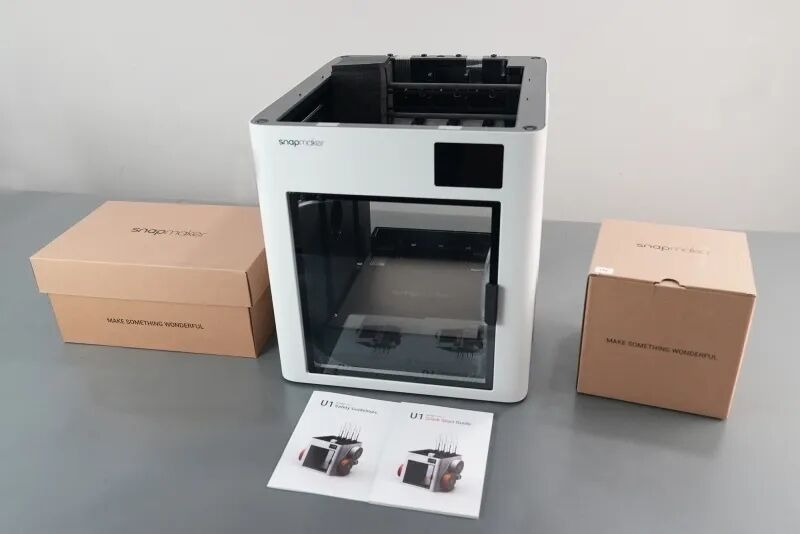
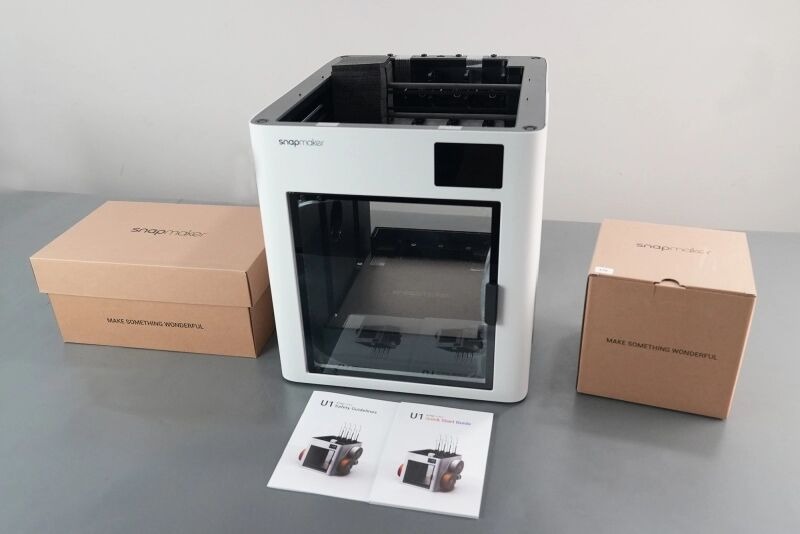
After unboxing the Snapmaker U1, we consider it a compact multi-toolhead 3D printer.
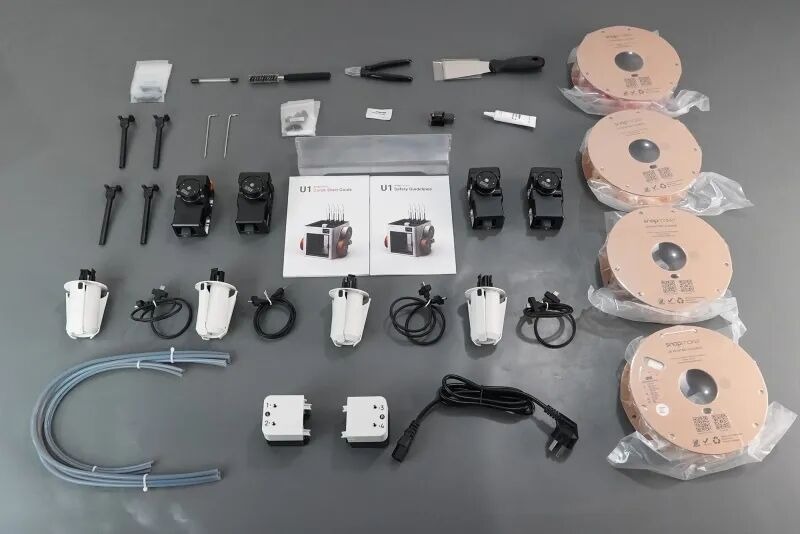
The accessory kit includes not only the filament holder, feeder, collection bin, toolhead cables, and four toolheads but also a set of tools such as wrenches, screwdrivers, a spatula, diagonal cutters, a brass brush, nozzle cleaning needles, spare hot end assemblies, PTFE tubes, and lubricant. Additionally, four rolls of filament are bundled.
However, compared to most models on the market, assembling the U1 may require more time. The process involves installing the feeder, securing the filament holder and collection bin, mounting the four toolheads, and finally connecting the toolhead cables and PTFE tubes.
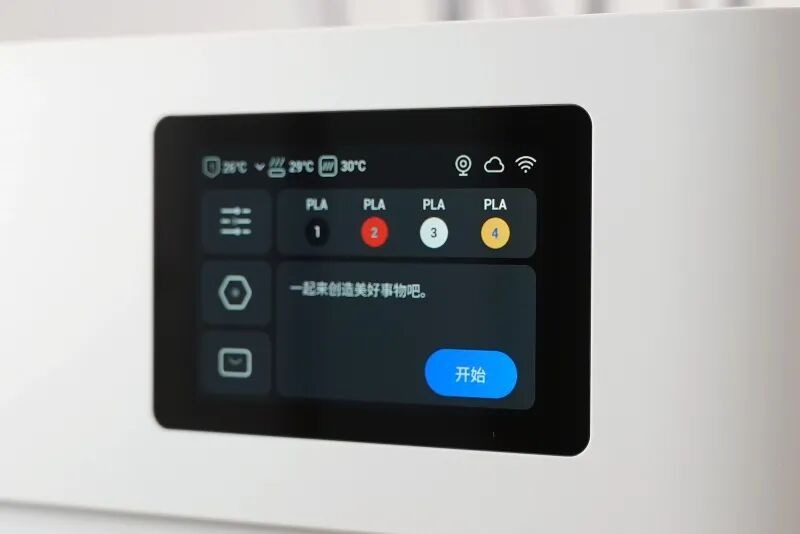
It is worth mentioning that while the display screens of most devices require user assembly, the U1’s screen comes pre-installed and fixed at the factory. After powering on, users need only complete steps such as multi-toolhead offset calibration, dynamic flow calibration, and vibration compensation before getting started.
Design
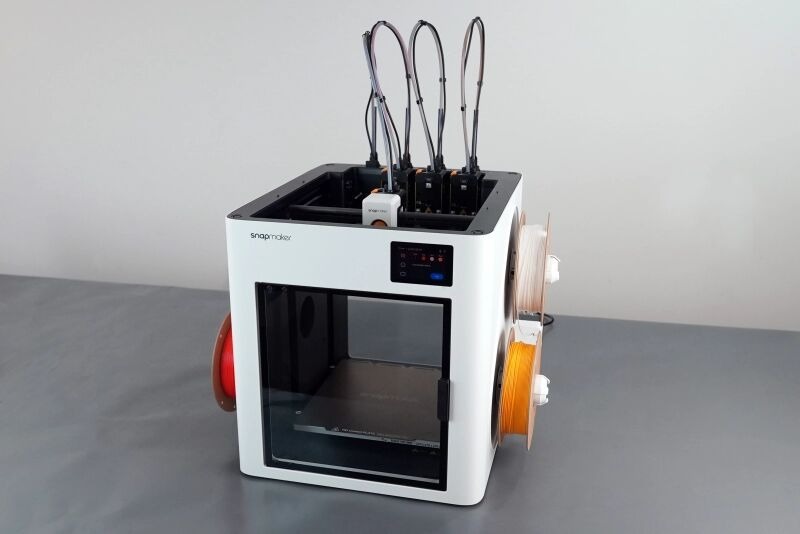
The Snapmaker U1 makes a strong first impression with its aesthetic appeal. Its ivory-white exterior, paired with an interior black panel, conceals most of the motion mechanics, resulting in an overall minimalist and modern design.
Gantry
Although it also adopts the CoreXY structure, the U1 does not concentrate the mainboard and power supply at the rear of the chassis. Instead, they are distributed along the sides, giving it a distinctive left-right layout.
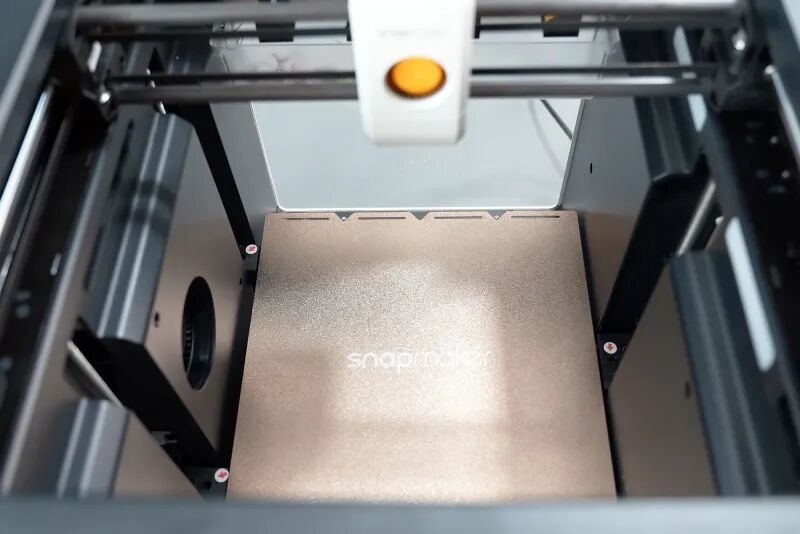
As observed, the top of the U1 is not enclosed, which somewhat limits material compatibility. However, an official top cover is available as an optional accessory to enclose the system.
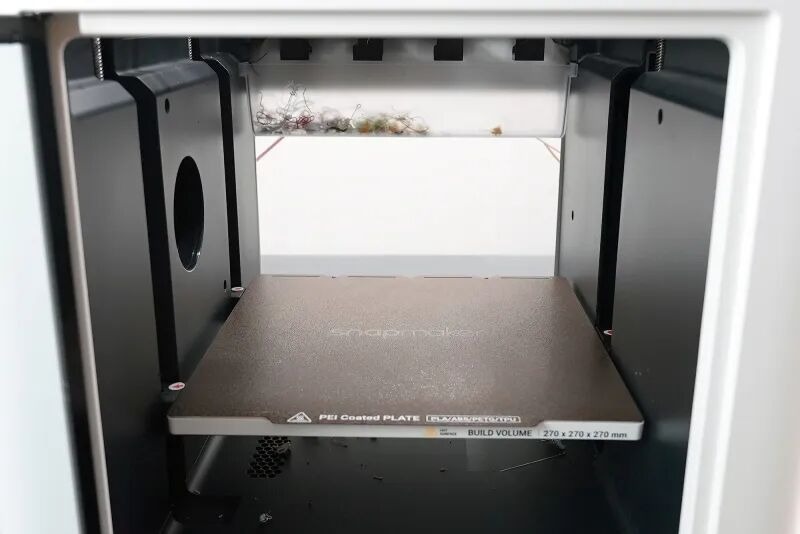
The front of the chassis features a glass panel, while the back uses transparent acrylic—a relatively uncommon open-design approach. Inside the chassis, a large model-cooling fan is positioned on the left, and two LED lighting strips are installed on the right.
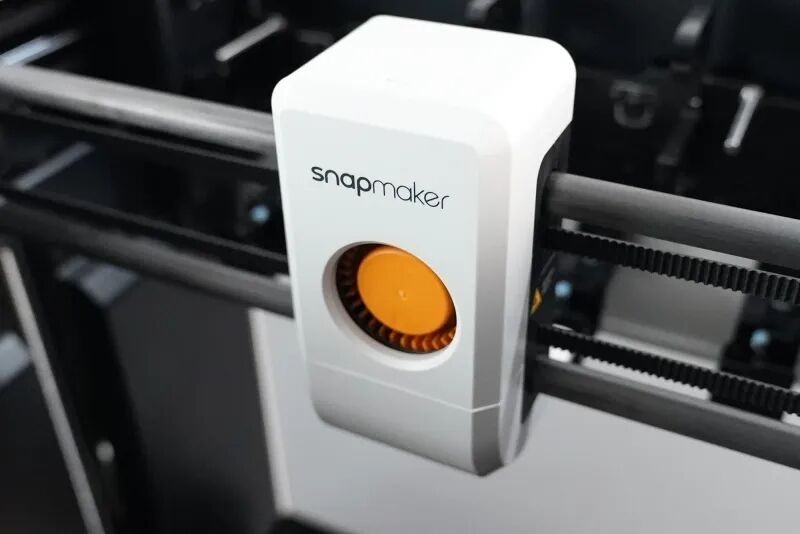
Another notable detail is that the U1 also incorporates carbon fiber rods along the X-axis, aligning with the design philosophy seen in Bambu Lab’s P1 series.
Extrusion
Snapmaker U1 Review: A Four-Toolhead 3D Printer That Shines, Redefining Color Printing
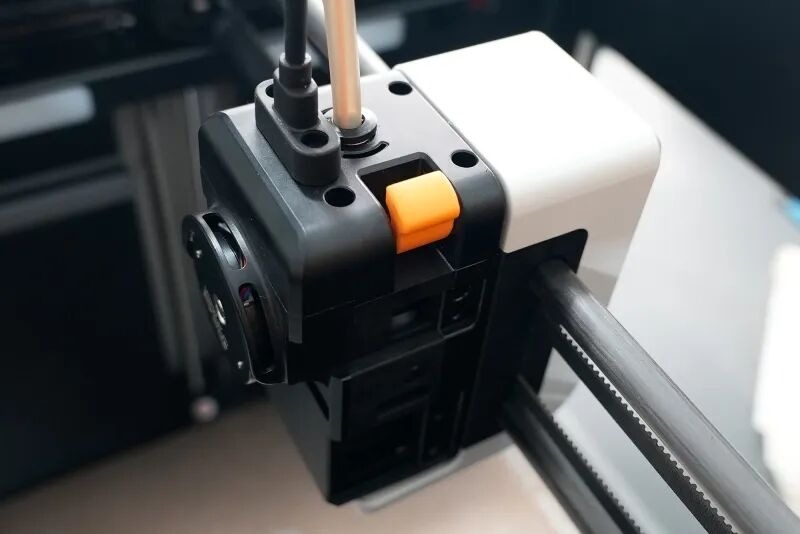
The U1’s standout feature is its SnapSwap™ independent four-toolhead parallel system, which automatically grasps and deploys the required toolhead for printing before swiftly switching to the next. Each tool change involves minimal retraction and cleaning—key to its exceptionally low material waste.
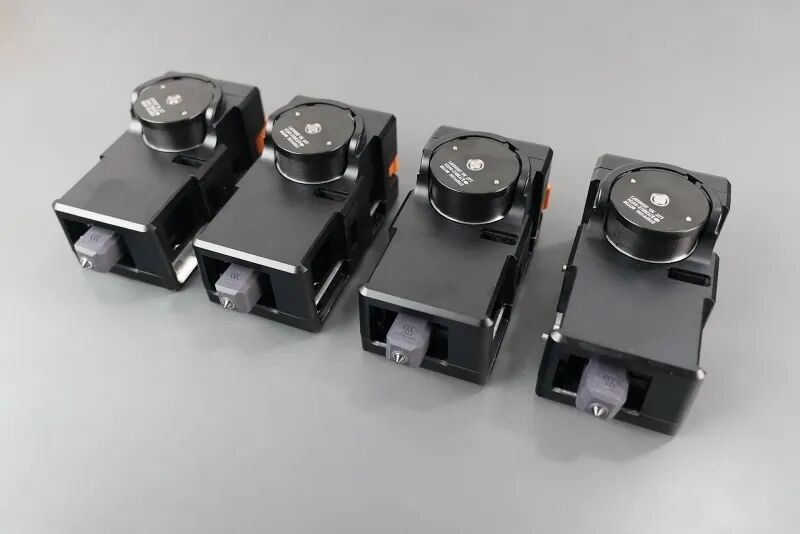
Furthermore, each toolhead is a fully integrated system, combining an extruder and a complete hotend. It comes standard with a 0.4mm stainless steel nozzle and supports temperatures up to 300°C.
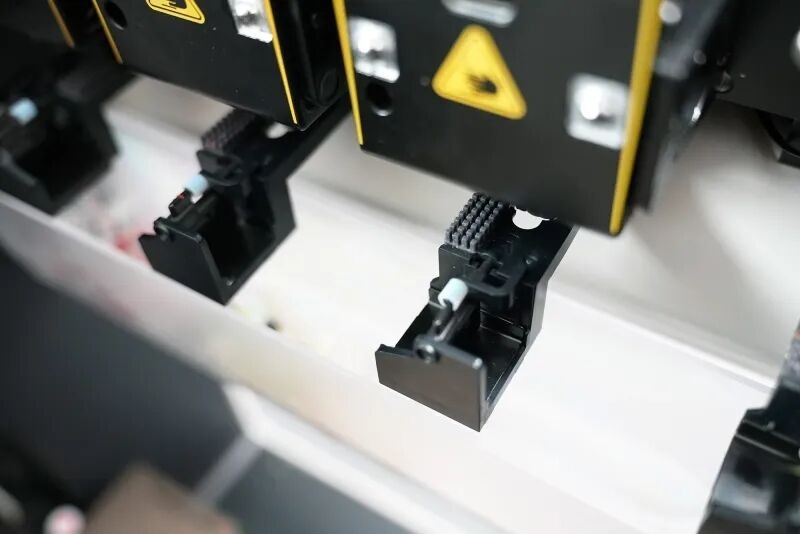
The system also includes a dedicated wiper and nozzle-cleaning pad, effectively preventing filament oozing. Toolheads can be preheated on demand, and the nozzles heat up rapidly, resulting in an extremely short switching delay. As Snapmaker claims, a single toolhead swap takes only about 5 seconds.
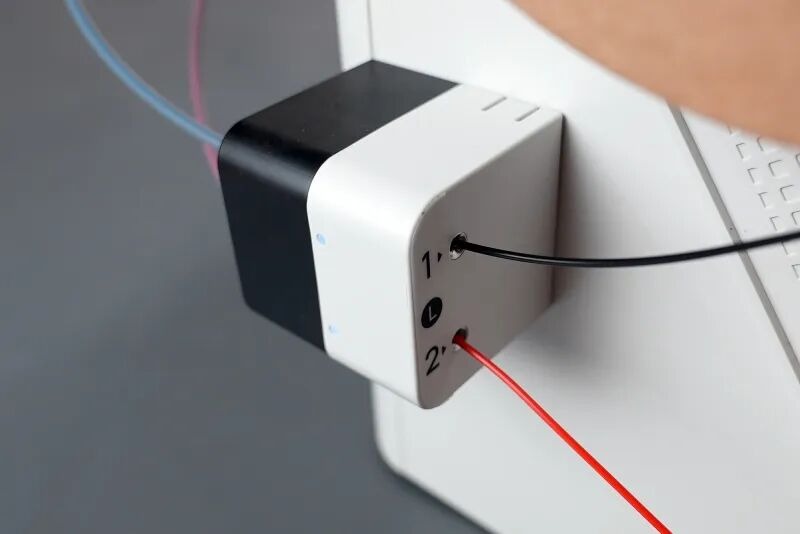
Compared to traditional multi-color printing, which often requires lengthy filament retraction and repeated nozzle cleaning—taking over a minute per change—the U1 offers a substantial efficiency improvement.
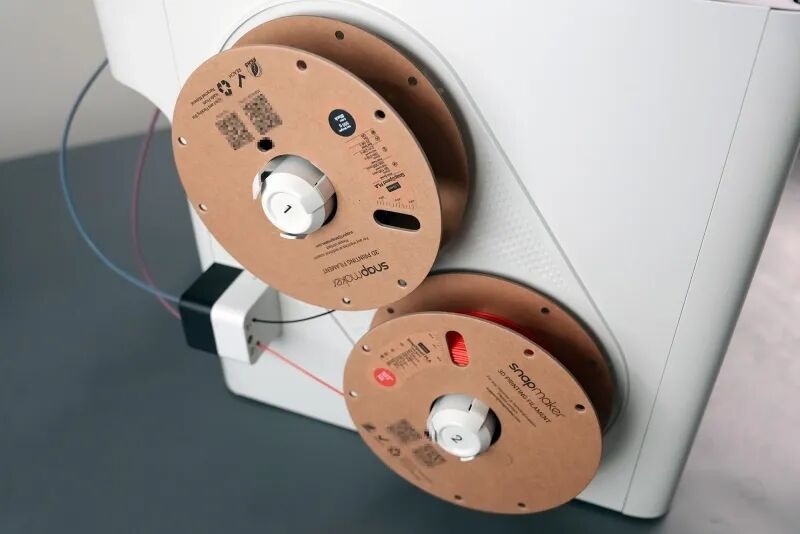
Beyond the dedicated toolheads, U1’s automatic tool-changing solution also incorporates independent auto-feeders, further shortening material-switching time and enabling simultaneous printing with multiple materials.
Additionally, the machine features built-in RFID material recognition, which automatically identifies official Snapmaker filaments, eliminating the need for manual settings.
Printing platform, camera and touch screen
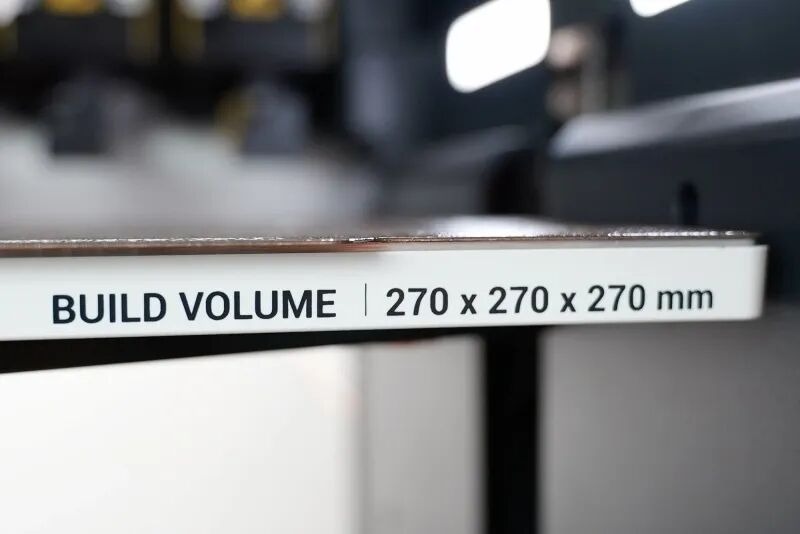
Nowadays, the print bed configurations of various devices have become increasingly homogeneous, but the Snapmaker U1 offers a slightly above-average solution. It features a build volume of 270×270×270mm and is equipped with a dual-textured PEI flexible steel sheet. The print bed supports a maximum heating temperature of 100°C, which meets the printing requirements for most common materials
.
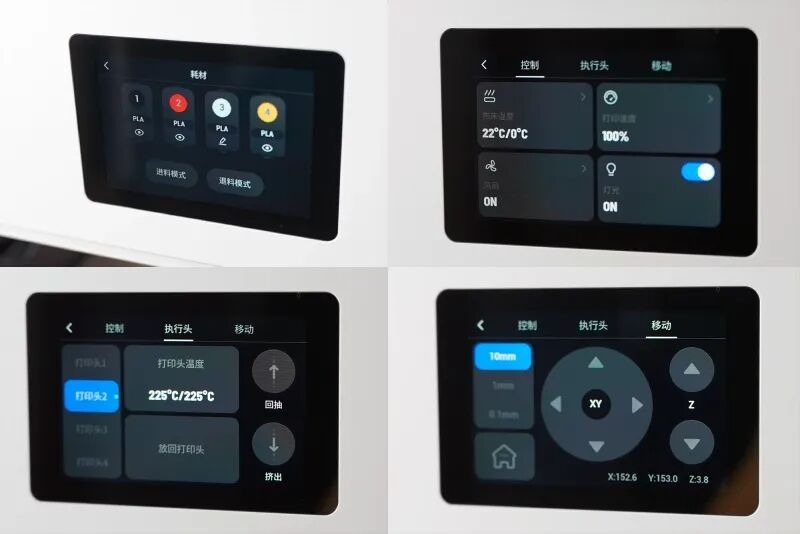
The U1 comes with a 3.5-inch touchscreen. While the screen size is not particularly large, it is fully adequate, highly responsive, and operates without delay. The interface layout is distinctive, with clear and intuitive operational logic. In the critical “Toolhead” management page, users can conveniently perform common operations such as heating or extruding a specified toolhead independently.
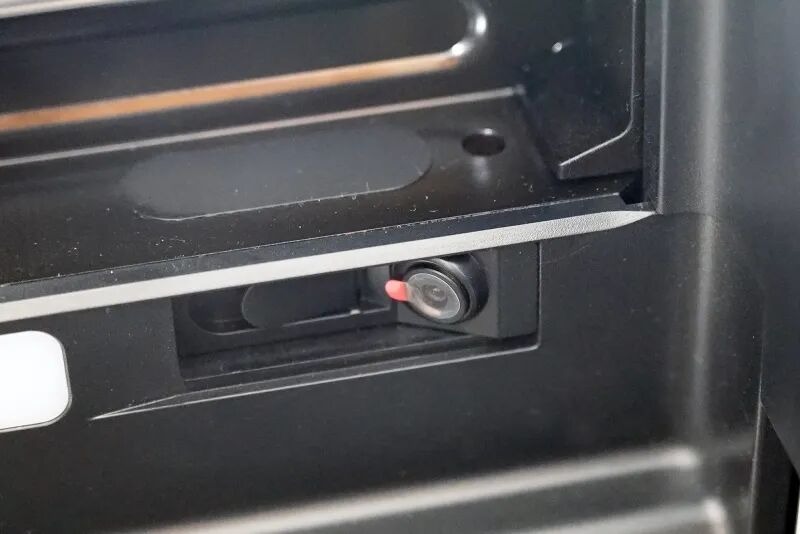
Of course, a built-in camera has become an industry standard. It not only supports time-lapse photography and other functions but can also be paired with the Snapmaker App for remote monitoring. Additionally, it can detect “spaghetti” printing failures, allowing for timely interruption of the print.
Printing
Test
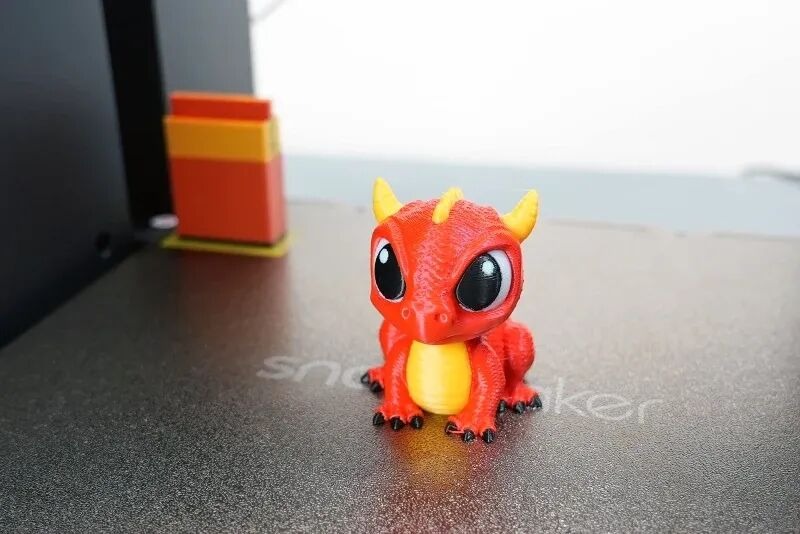
Unlike previous machines that came pre-loaded with multiple pre-sliced test models, including the classic Benchy boat, the Snapmaker U1 only comes with one pre-configured model: a four-color dragon.
After loading the filament, I simply clicked “Print.” It’s no exaggeration to say that this experience completely redefined my understanding of multi-color printing—it can be both time-saving and material-efficient. In the past, the main barriers to multi-color printing were often not the quality of the output but the multiplied material waste and lengthy waiting times.
Now, printing such a vivid four-color dragon takes only 2 hours and 56 minutes, which has given me much more confidence and motivation to explore the world of multi-color printing.
Software
The Snapmaker U1 uses a customized version of the open-source OrcaSlicer, called Snapmaker Orca. Both its interface design and operational logic are quite familiar to most users, making it particularly beginner-friendly and easy to get started with quickly.
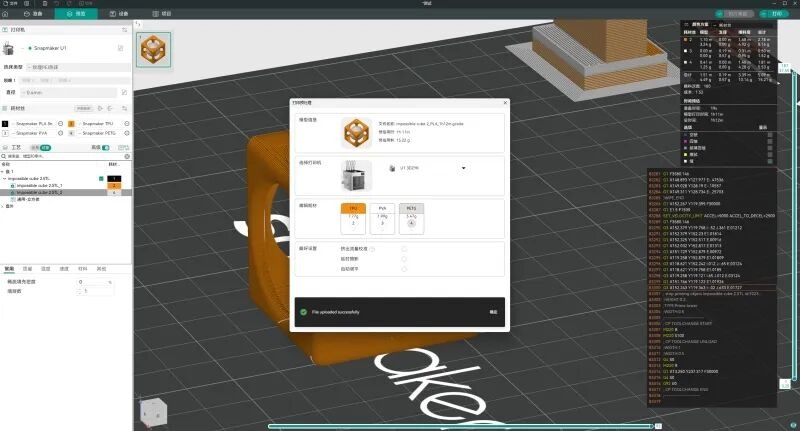
Additionally, the U1 supports LAN mode, allowing data transfer to bypass the cloud. For users with higher data security requirements, printing via USB drive is also an option. However, the default material profiles in the software are currently focused on PLA. Adding more official presets in the future would significantly enhance convenience.
Like most manufacturers, Snapmaker offers a companion mobile APP, though its features are relatively basic at this stage.
If there’s room for improvement for the Snapmaker U1, the hardware is almost flawless. The key areas lie in continuous software iteration and, more importantly, the urgent development of a dedicated model community to complete its ecosystem.
Material
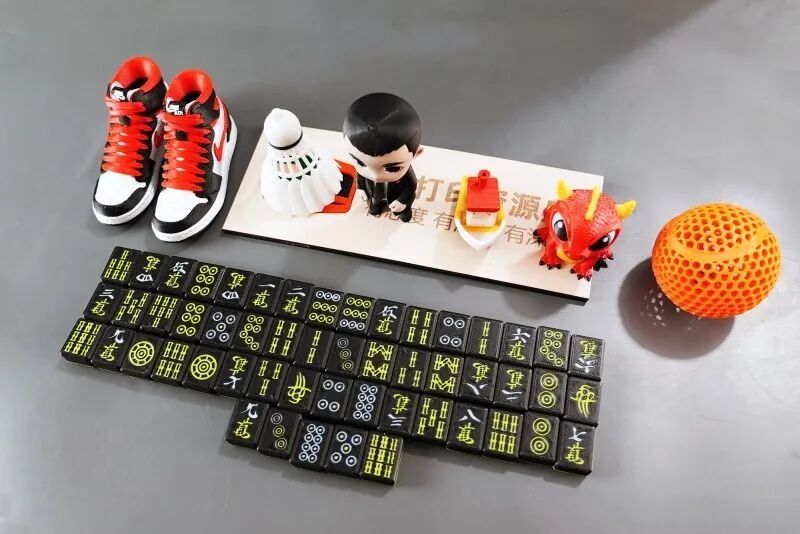
Since the Snapmaker U1 does not come with an enclosed chamber by default and features a stainless steel nozzle, this evaluation primarily focuses on the commonly used PLA material. Most of the testing time was dedicated to multi-color model printing—for some reason, using the U1 for multi-color prints consistently gave me a psychological sense of “saving money.”
Classic Multi-Color Test: Four-Color Benchy
We started with the classic test model, Benchy, this time in a four-color version. Under default settings, the print took just 1 hour and 19 minutes. Upon examining the details, its performance was nearly indistinguishable from a single-color Benchy, with excellent overall finish.
Efficiency Showcase: Miniature Nike Sneaker
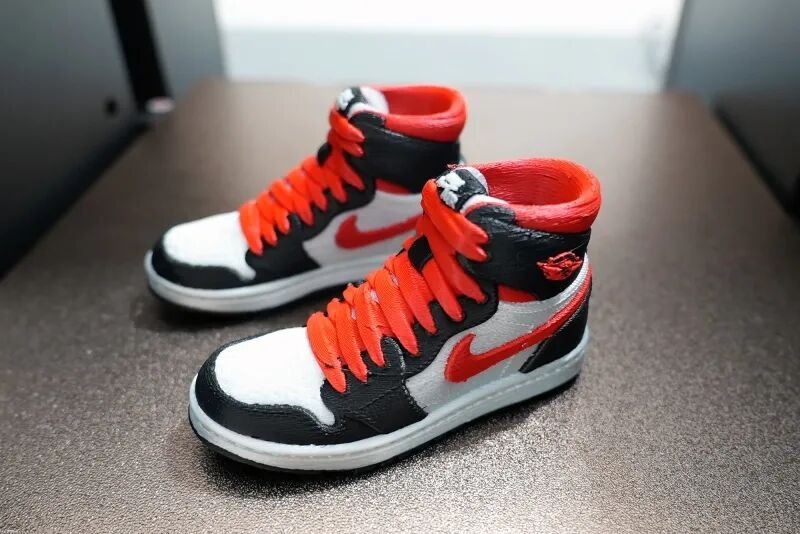
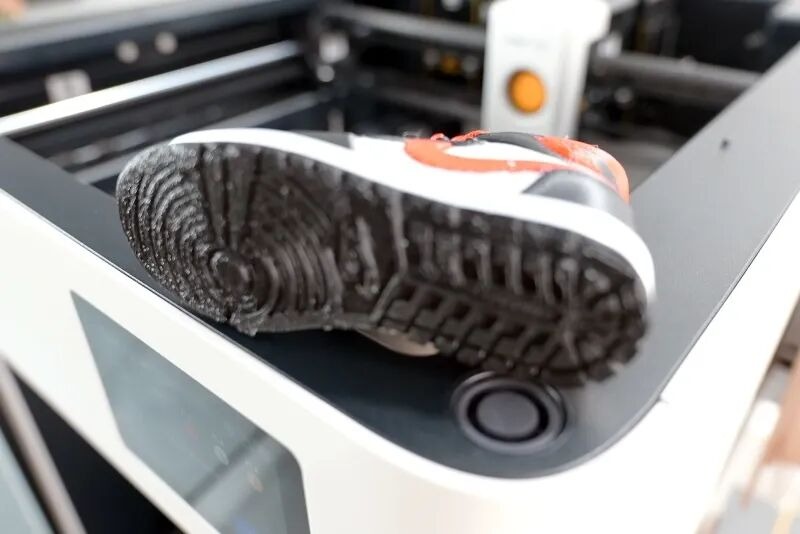
Next, we printed a scaled-down Nike sneaker, also using four colors. A single shoe took 5 hours and 50 minutes, whereas a conventional AMS multi-color print would require 15 hours and 49 minutes—saving nearly two-thirds of the time. Additionally, due to the challenging support structures on the sole, we used PVA water-soluble filament specifically for supports. This highlights one of the key advantages of a multi-toolhead system: the ease of multi-material printing.
Creative Application: Anime Figure Prototype
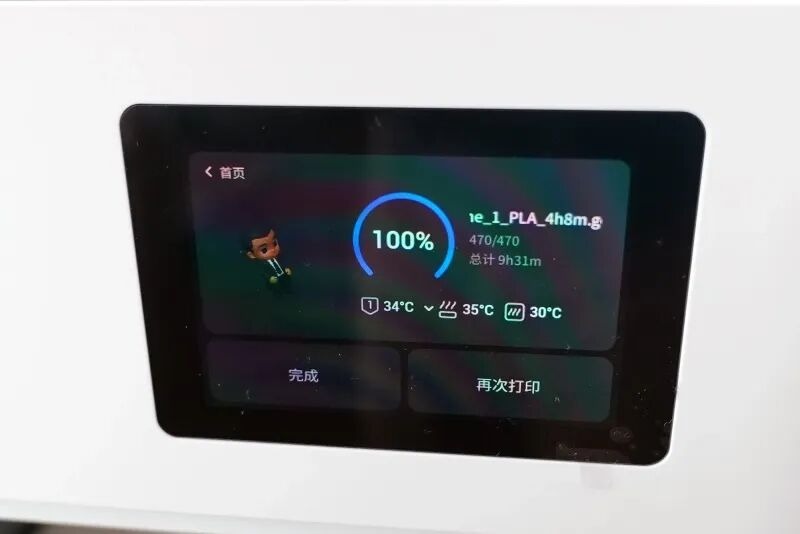
Recently, we have been exploring how to generate anime-style figurine models from a single photo and attempted to print one using the U1. Under default settings, it took 9 hours and 31 minutes, and the final result was quite impressive—so much so that it sparked thoughts about whether anime figurines could become a new business opportunity.

Material Versatility and Precision Validation
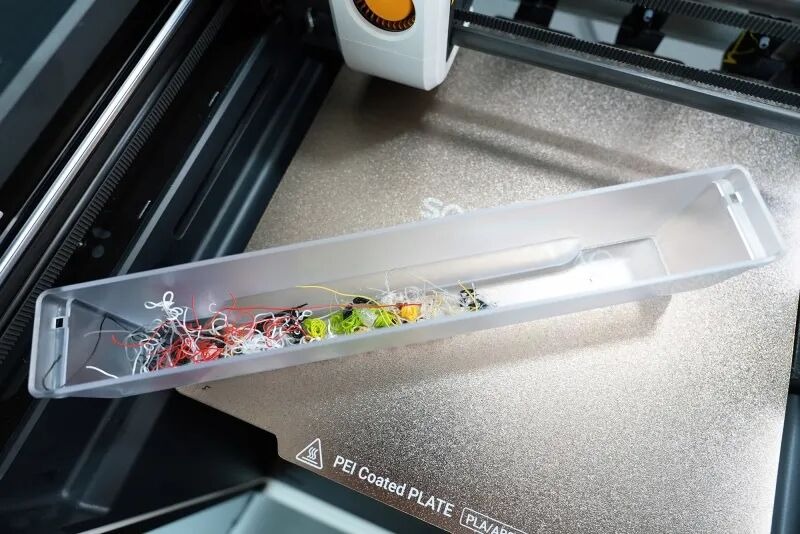
Most importantly, even when printing multiple multi-color models consecutively, the material wasted on nozzle purging was minimal. Beyond PLA, we further tested TPU material, specifically Sitinarei’s ShoeFlex 9075A, with automatic feeding enabled. This tennis ball model took 3 hours and 14 minutes to print, using TPU for the main body and Snapmaker’s official black PLA for supports.
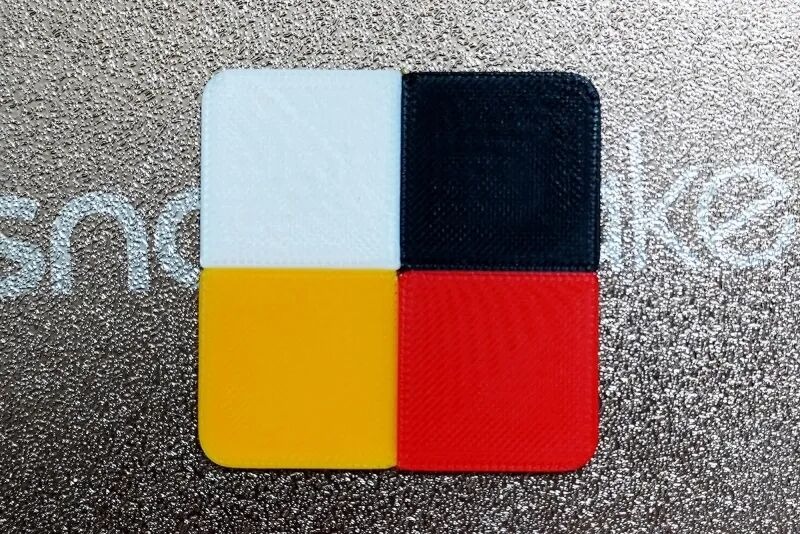
Regarding the common concern about whether the switching of four independent toolheads might cause accuracy deviations, we conducted a dedicated test. In addition to the smooth layer lines observed in the previously printed Benchy, we also printed a four-color calibration cube. The final result is as shown in the image. It’s safe to say that the issues users might worry about have already been considered and addressed by Snapmaker’s engineers, who have provided mature solutions.
y ‘bias’ comments
We believe no 3D printer is perfect, and the Snapmaker U1 is no exception
First, the issue that needs to be addressed is still at the software level.
In Snapmaker Orca, some unexpected issues still occasionally occur. For example, there can be a significant discrepancy between the slicer’s estimated print time and the actual printing time; the software may lag or even crash when operations are performed too quickly. Additionally, the stability of the printer’s network connection needs improvement, as data transfers sometimes fail.
At the hardware level, overall performance is stable with no obvious shortcomings. However, if we must point out areas for improvement, the plastic shell on the top of the machine feels somewhat thin. When moving the printer, it can be difficult to get a good grip, giving the impression it might detach.
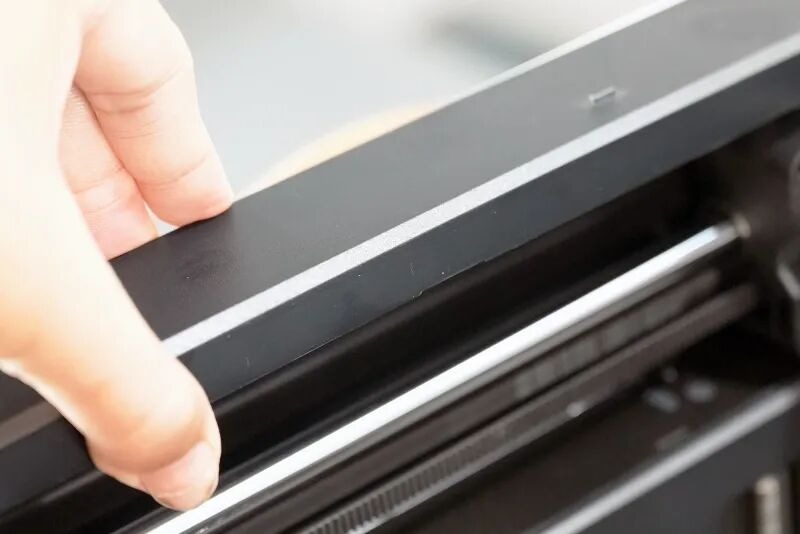
Furthermore, some assembly details of the machine’s casing are not perfectly smooth, which could be related to the assembly process or possibly mold precision issues. Finally, for printing certain engineering-grade materials, it may be necessary to equip the filament with an independent drying box, and the entire machine itself would also require an enclosure for optimal performance.
Summary
The Snapmaker U1 is a machine significant enough to be recorded in the history of consumer-grade 3D printing, as it has truly inaugurated the era of affordable multi-toolhead printing.
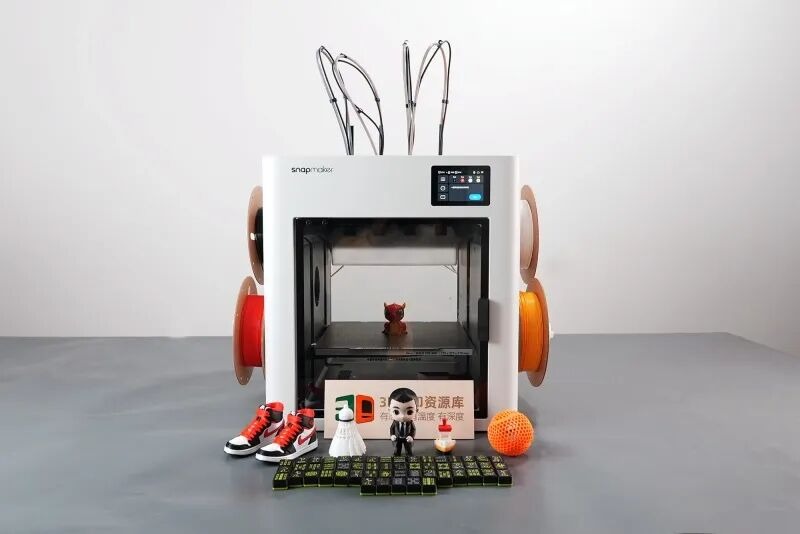
Although similar products have emerged in the past, few have achieved commercial viability and maturity, often carrying price tags as high as tens of thousands of yuan—such as the Prusa XL. The arrival of the Snapmaker U1 shows us a compact, reliable, and user-friendly multi-toolhead 3D printer. If you are looking for a brand-new device for multi-color and multi-material printing, the U1 is indeed worth considering.
Of course, if your need is simply for an affordable multi-color 3D printer with a budget around 3,000 CNY, the market already offers a wide range of mature options. Whether it’s Bambu Lab, Creality, Elegoo, or Anycubic, there are numerous reliable models to choose from.
If your budget is more substantial and you wish to invest in a multi-toolhead device with a larger build volume and more toolheads, then the recently launched Bambu Lab H2C—which supports switching between up to 7 toolheads—is also an option worth watching, though its price is nearly double. Additionally, the Palette 300 from Atom Remodeling, planned for release next year and supporting up to 12 nozzles, is another product to look forward to.
 li, chen