
 By 3dzyk
 Following the classic S4, Sunlu’s upgraded version is here: more powerful and more affordable.
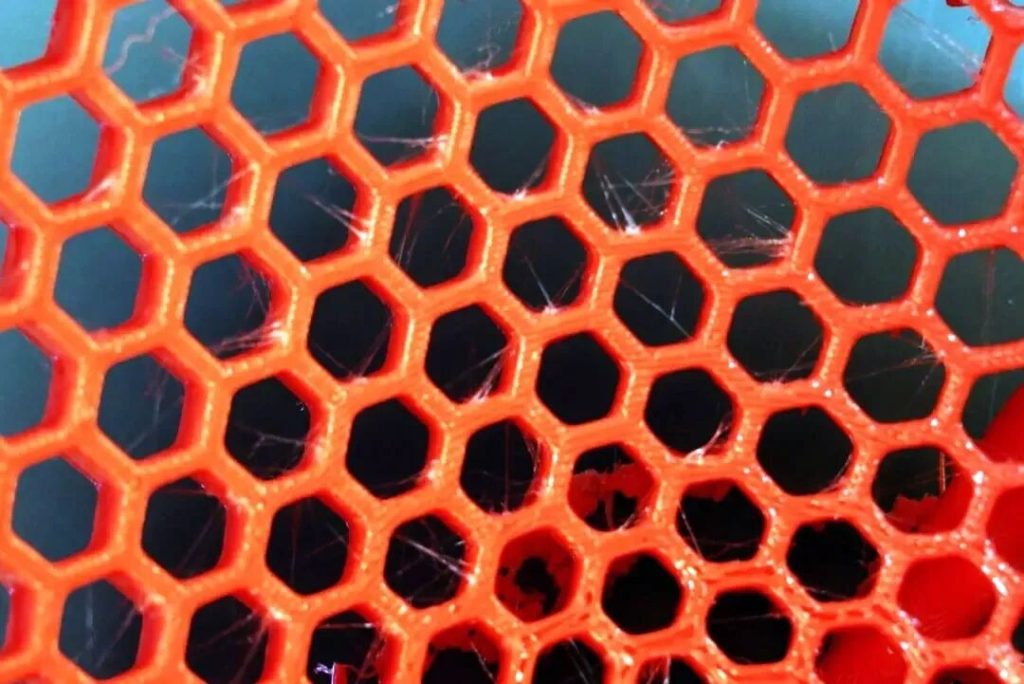
If you are a 3D printing enthusiast, you have likely encountered these frustrating issues: stringing, bubbling, or even a drop in the strength of your finished prints. Even though you are using the exact same machine and the same roll of filament, printing just a few days later yields completely different, subpar results.
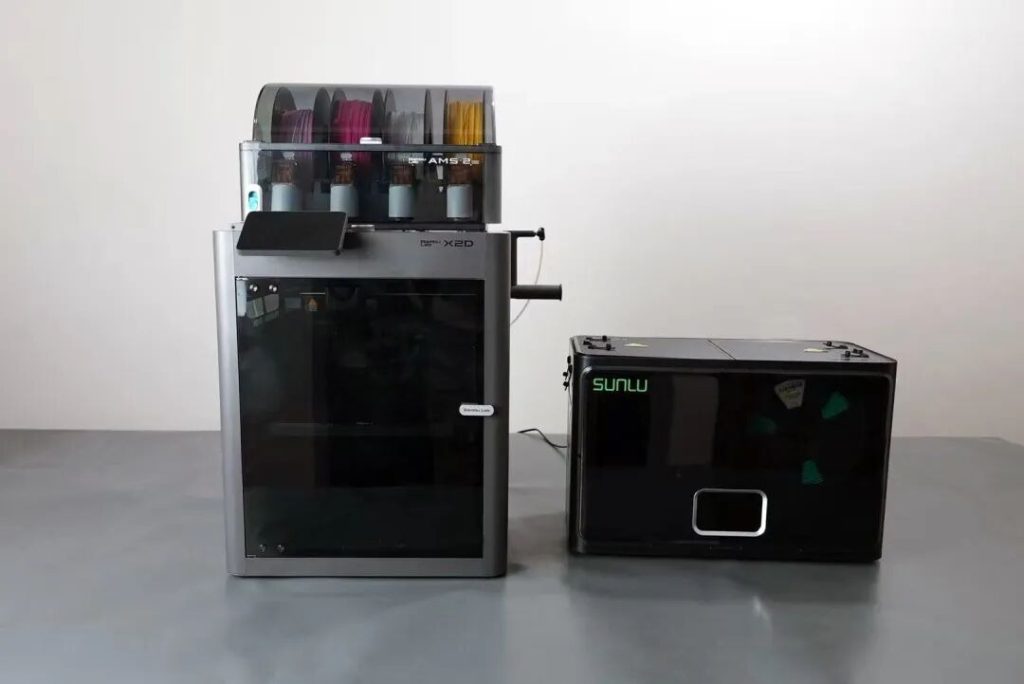
Especially during the humid rainy season, watching the walls at home start to mold makes you realize that the culprit is highly likely moisture absorption in your filament. Since then, alongside a 3D printer, placing a filament dryer on your desk has become a standard pairing—the 3D printing equivalent of “instant noodles with sausages.”
When it comes to 3D printing filament dryers, Sunlu is a brand that cannot be ignored.
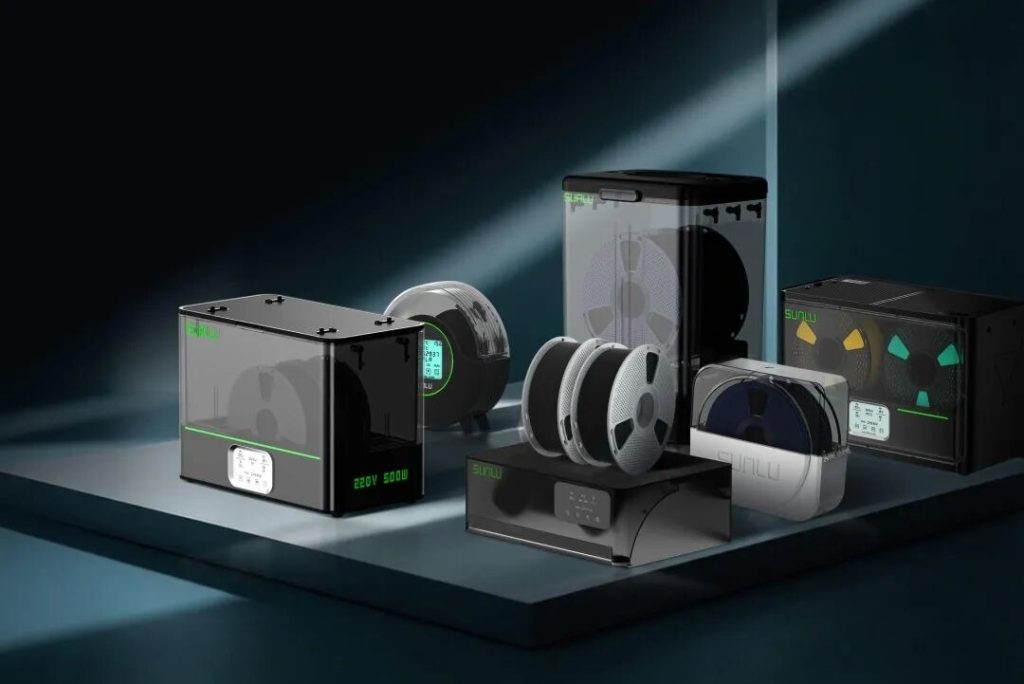
Since launching the first-generation S1 in 2019, Sunlu has built a comprehensive product line spanning entry-level, mid-range, and high-end segments. This includes the entry-level S1 and S2, the mid-range S4, SP2, and AMS Heater, and the high-end E2 designed specifically for engineering materials.
Today, Sunlu brings us the brand-new S4 Pro, upgraded from the classic S4. It introduces features like a dual-zone design, independent heating, drying temperatures up to 85°C, and annealing capabilities. Remarkably, its pre-sale price is only 549 RMB—cheaper than the current S4 on the market. It truly offers more features at a lower price.
We got our hands on the S4 Pro for an early review and put it through its paces. Let’s look at its design, core features, and real-world performance to see how it actually holds up.
Device Specifications
- Product Dimensions: 458 × 218 × 310 mm
- Net Weight: 4.7 kg
- Temperature Range: 45°C – 85°C
- Time Setting Range: 0 – 99 hours
- Humidity Display Range: 10% – 90%
- Filament Diameter Compatibility: 1.75 mm / 2.85 mm
- Filament Capacity: 4 rolls of 1 kg
- Market Price: 649 RMB
Sunlu S4 Pro Test Results
Pros:
- Comprehensive feature set and excellent value for money.
Cons:
- The user interface is displayed in English only(sounds not that bad though).
If Bambu Lab’s latest X2D brings the possibility of dual-material printing, Sunlu’s S4 Pro adopts a similar mindset. In the past, drying two different materials at the same time might have required two separate dryers; now, a single S4 Pro can solve this problem.
The S4 Pro combines drying, moisture prevention, annealing, and storage into one unit, holding up to 4 rolls of filament. Combined with a highly competitive price point, it is poised to become the go-to choice for 3D printing hobbyists.
1. Unboxing
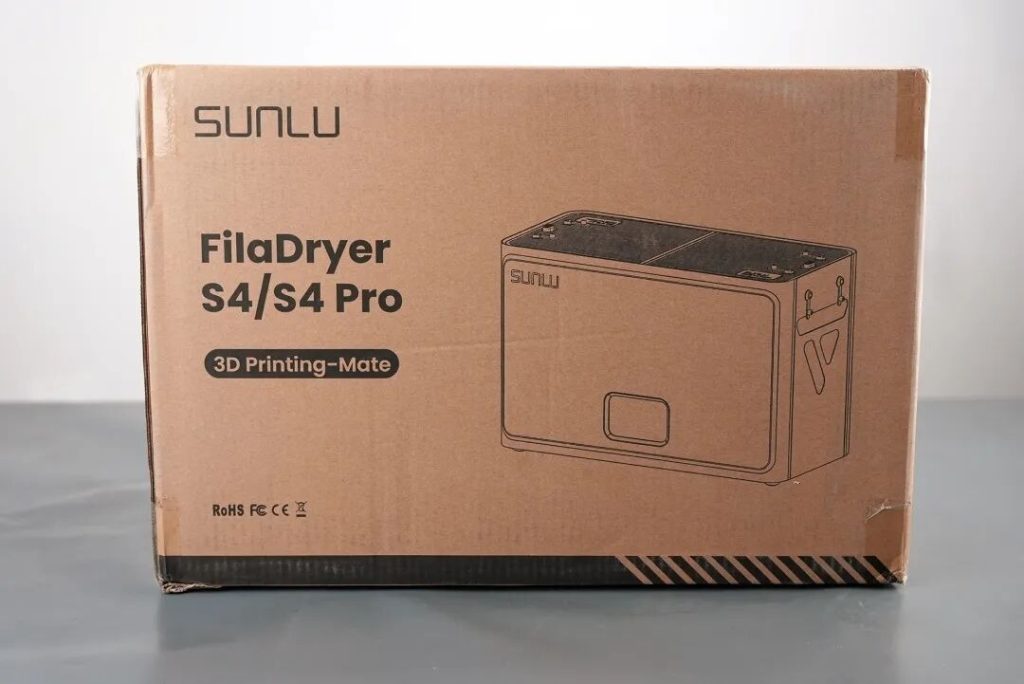
Upon opening the box, the first impression of the Sunlu S4 Pro is its size. Compared to common single- or dual-roll dryers, it is noticeably larger, though the overall design remains clean and minimalist.
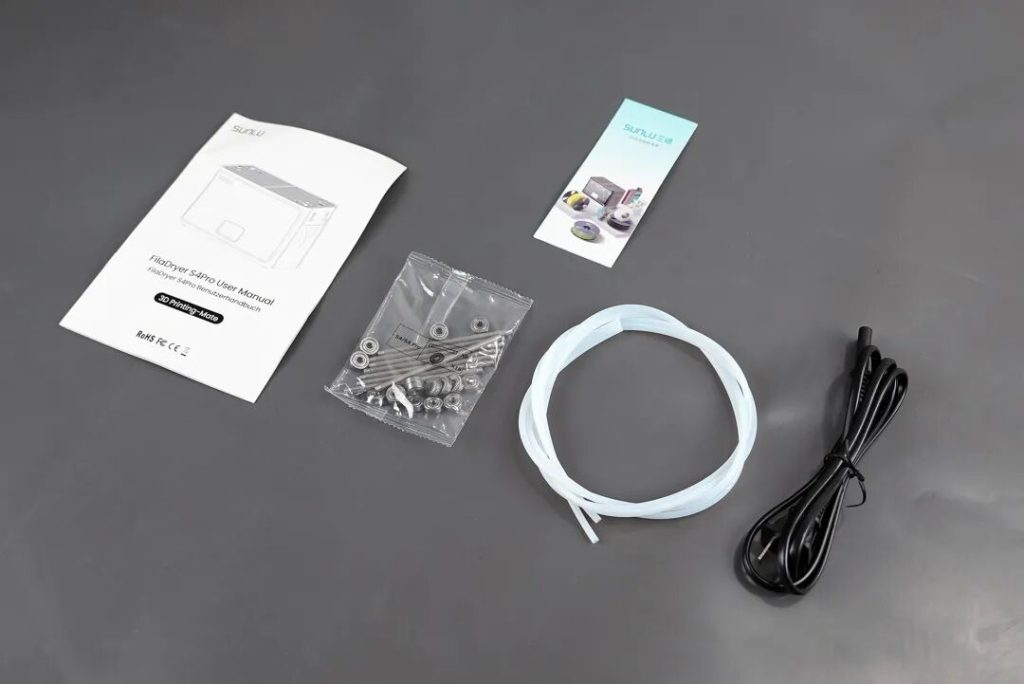
Beyond the main unit, the package includes:
- Power cord
- Stainless steel shafts and bearings
- Teflon (PTFE) tubes
- User manual
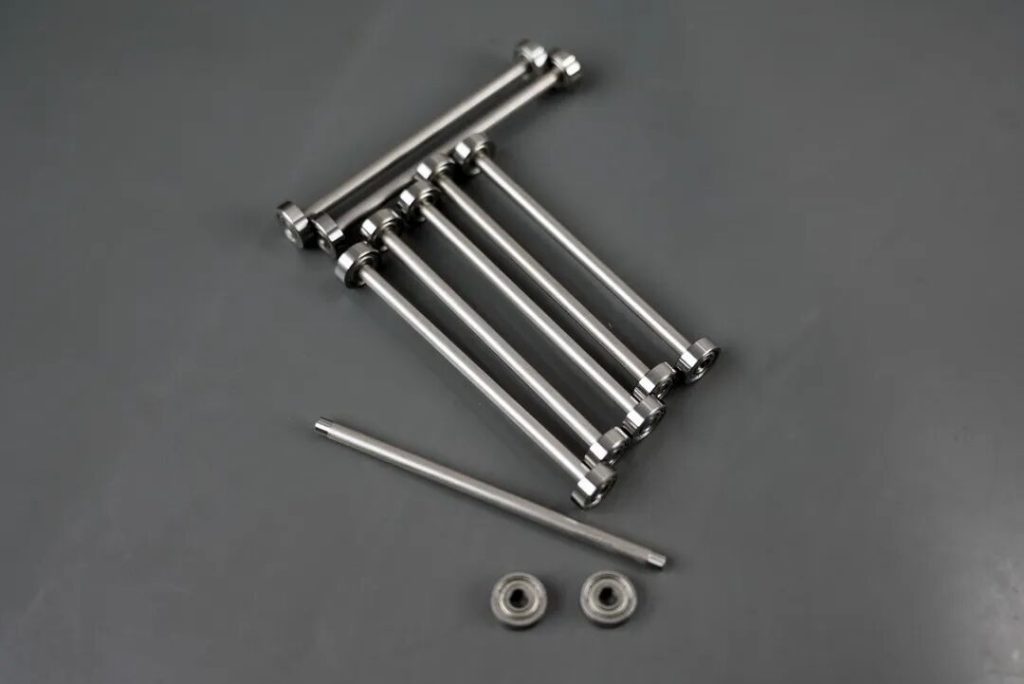
Assembly is straightforward: just snap the stainless steel shafts and bearings together. It is virtually ready to use right out of the box, requiring none of the complex assembly associated with 3D printers.
2. Design
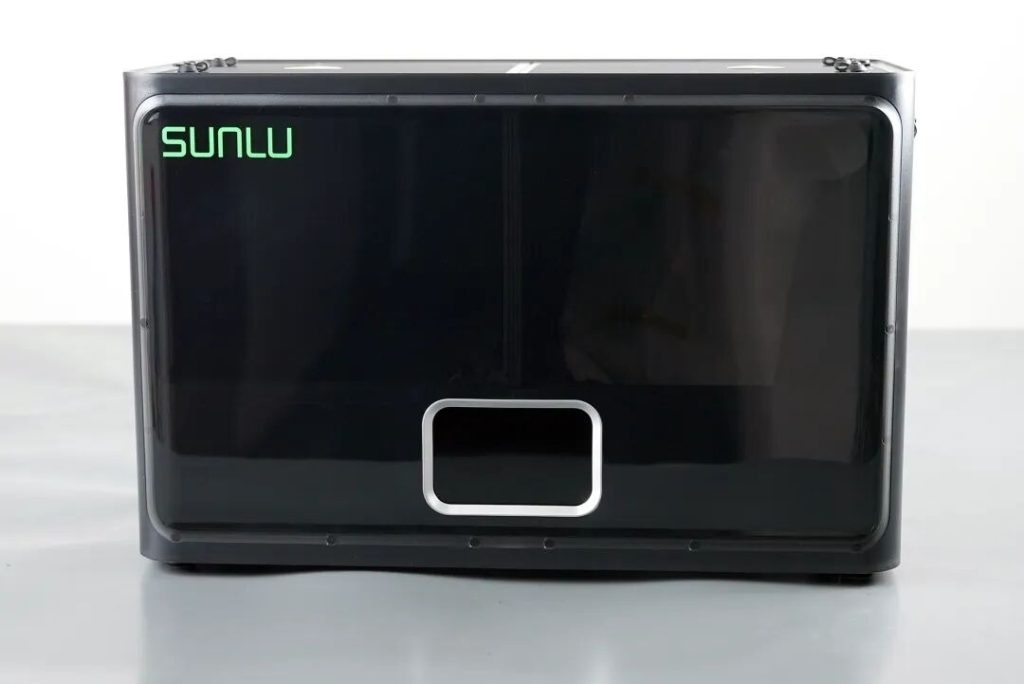
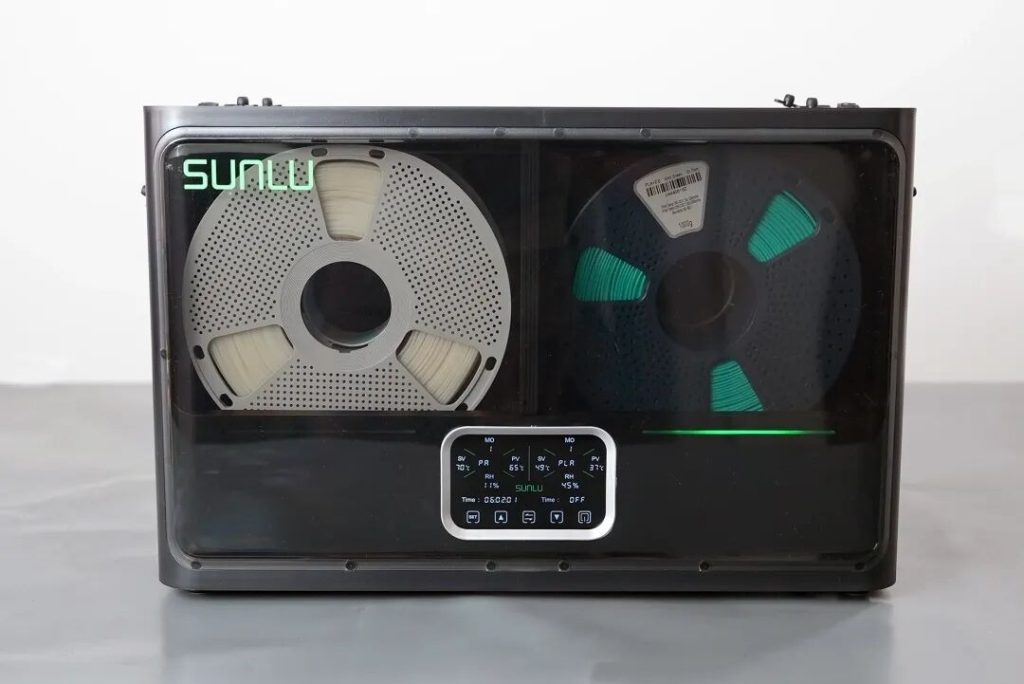
The S4 Pro carries forward Sunlu’s established design language for dryers. It features a predominantly black body with a semi-transparent black front panel, making it easy to check the status of the filament inside.
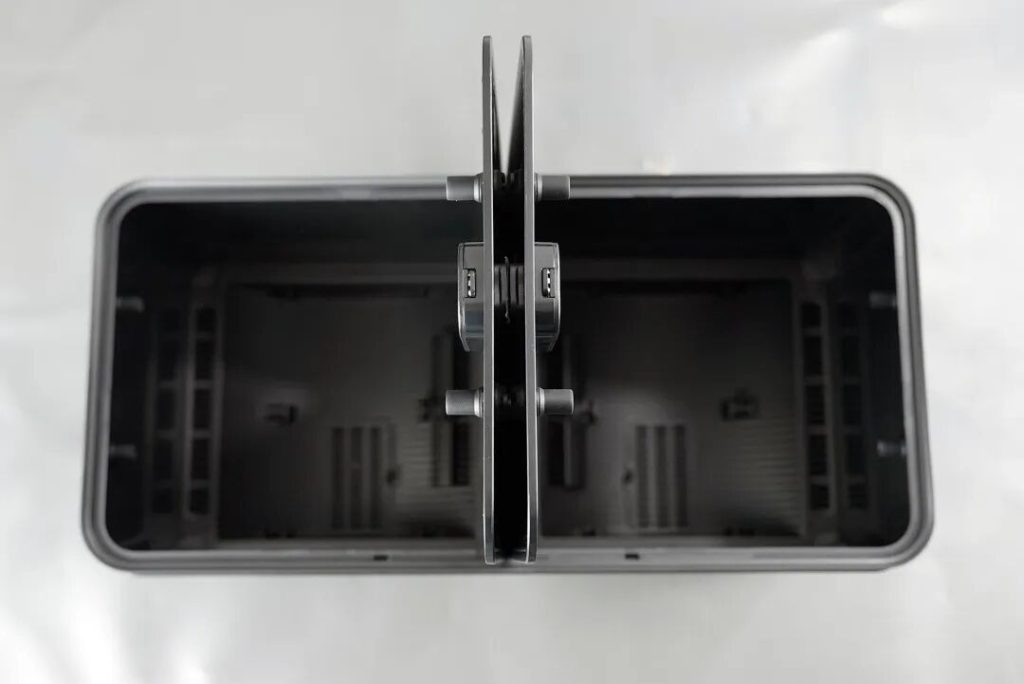
The top of the machine utilizes a split left/right flip-cover design. There are 4 filament exit holes on the top and another 4 on the sides, all fitted with silicone plugs.
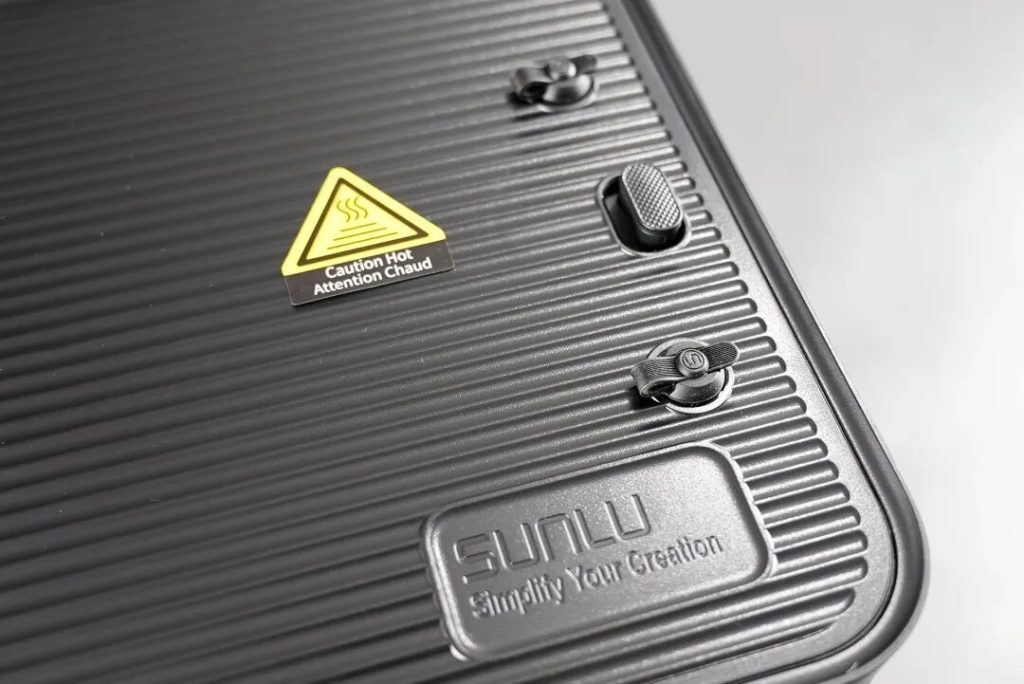
Tip: You can keep these vents open during drying to maintain airflow, and plug them during storage to improve sealing. Naturally, once you connect the Teflon tubes, it supports printing while drying simultaneously.
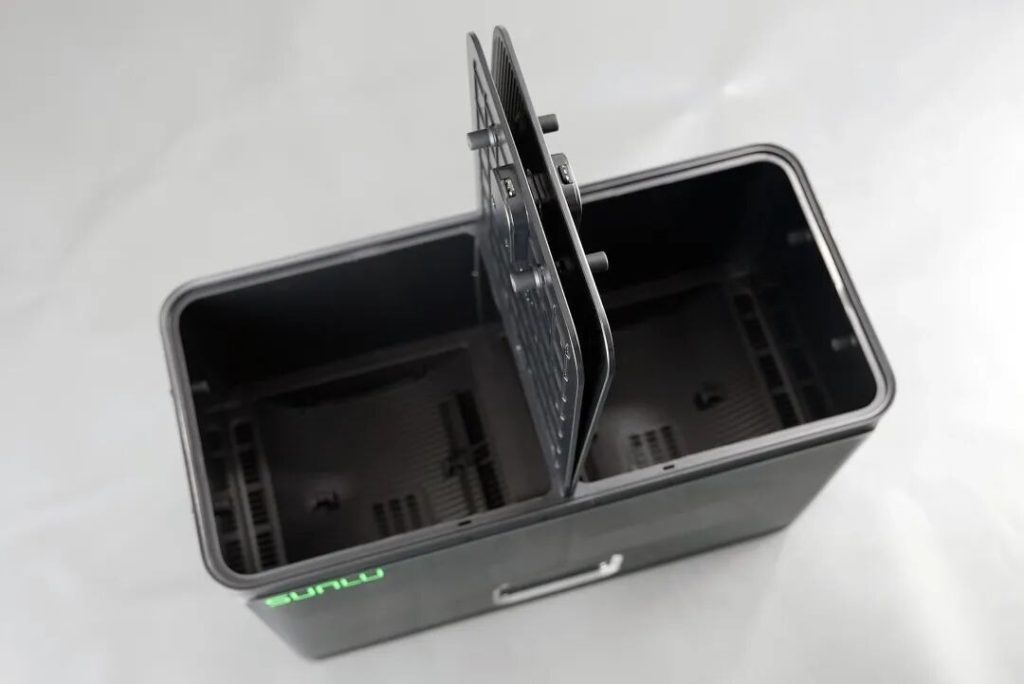
Dual-Zone Independent Temperature Control: Two Units in One
If you have used the original S4, you will notice that the exterior of the S4 Pro has not changed drastically. The overall dimensions and design remain largely the same, and it still supports drying 4 rolls of 1 kg filament.
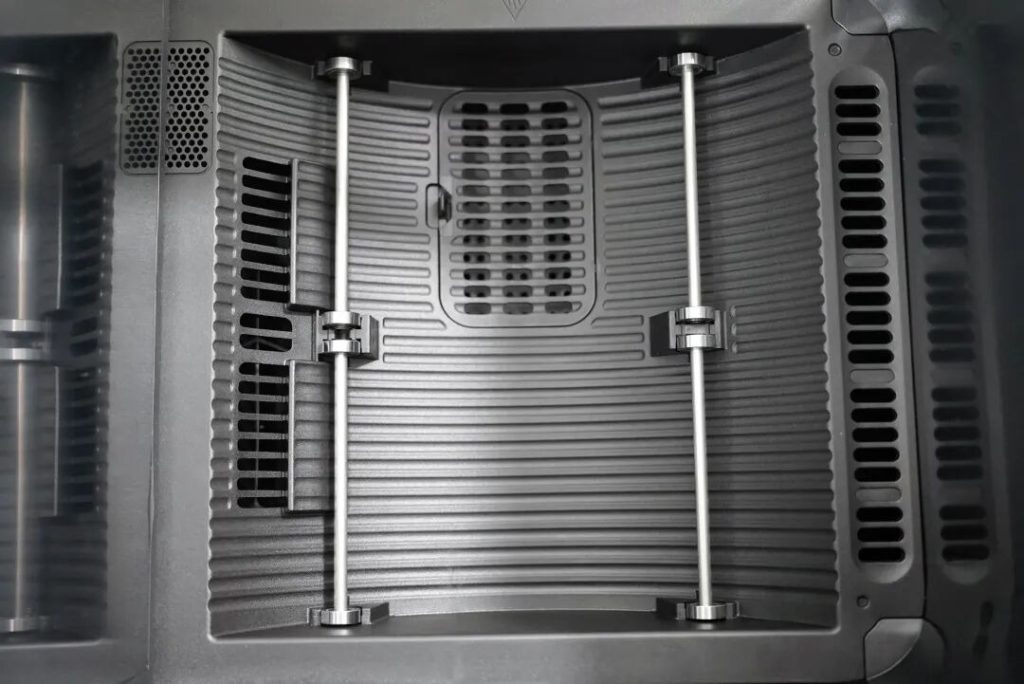
However, opening the top lids reveals a massive difference. The interior of the S4 Pro is divided into two independent zones by a thermal insulation board, with each side accommodating 2 rolls of filament.
More importantly, the left and right zones support independent heating. The temperature can be adjusted between 45°C and 85°C, allowing you to dry different types of filament simultaneously. Beyond common filaments like PLA, PETG, TPU, and ABS, it also easily meets the drying demands of engineering materials like PC and PA.
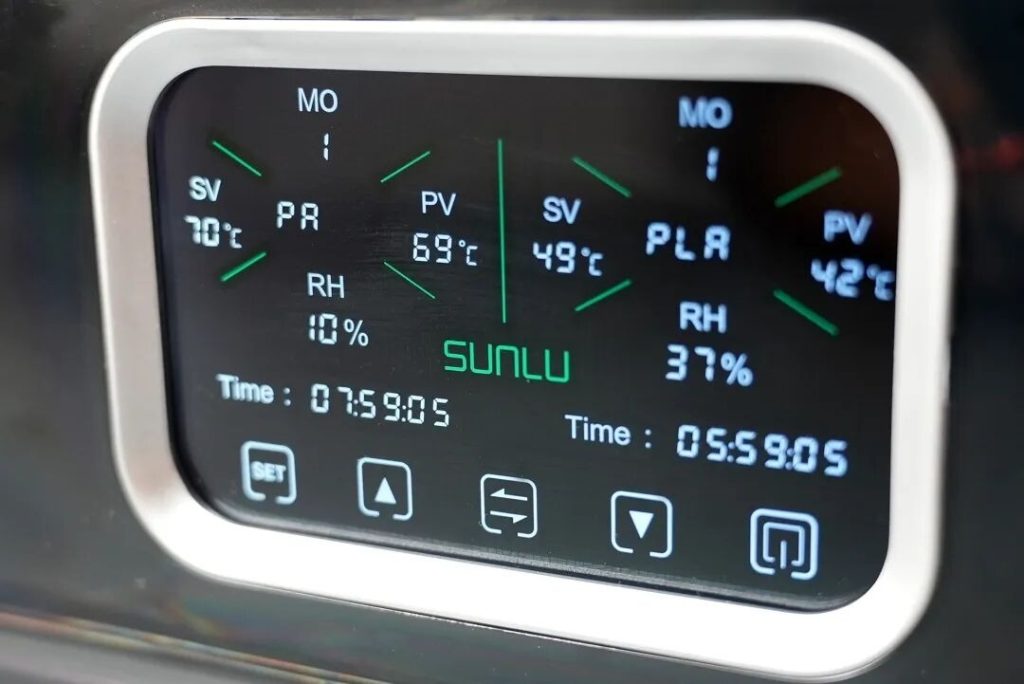
For instance, you can place PA filament in the left chamber and PLA in the right, drying them at completely different temperatures at the exact same time. Previously, doing this required two separate dryers, which took up more desk space, cost more money, and made operations tedious.
Dual-Zone Screen Control: Simple and Efficient
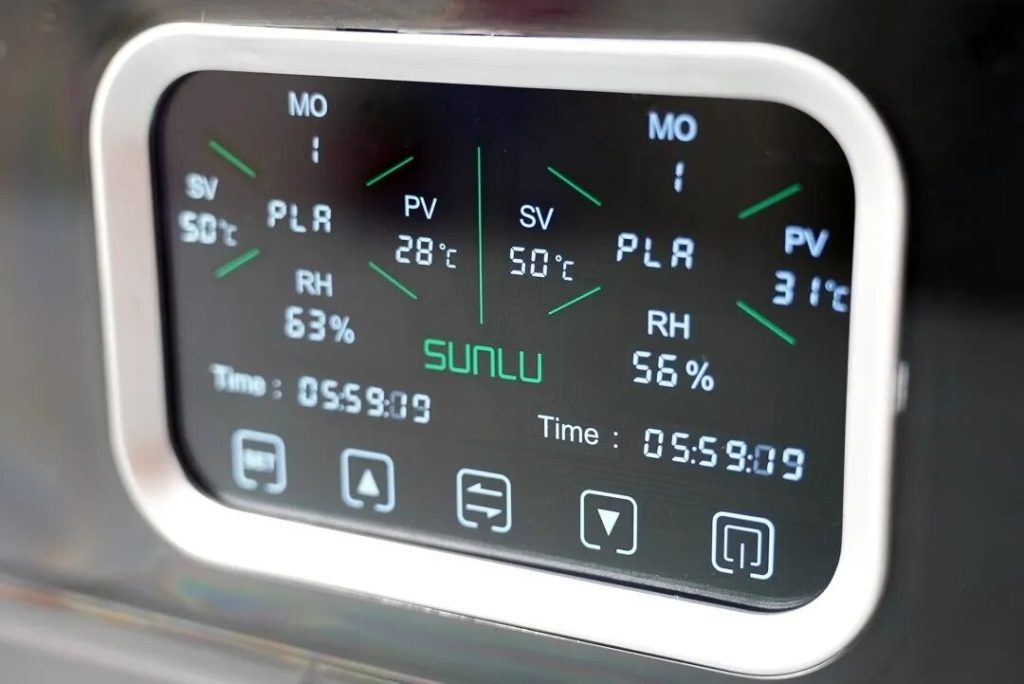
With two independent zones, separate controls are essential. The Sunlu S4 Pro features a toggle button that allows users to seamlessly switch between and configure the left and right chambers.
On this large display screen, you can individually set the drying temperature, target humidity, and drying time. The temperature tops out at 85°C, the target humidity can be configured up to 50%, and the drying timer stretches up to 99 hours.
Additionally, the S4 Pro includes built-in presets for various filaments, allowing you to switch settings with a single press without tedious manual inputs. The LED lighting effect above the screen can also be customized, offering options for off, marquee/chasing light, or constantly on.
Three Modes: Drying, Annealing, and Constant Humidity
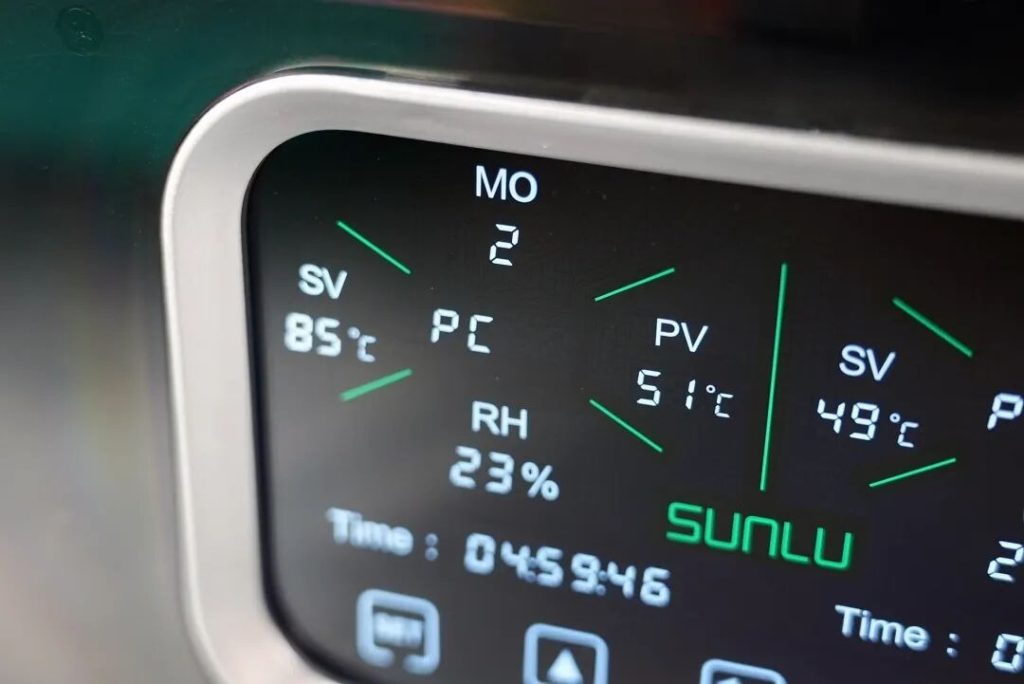
If you think the S4 Pro is strictly for drying, you are underselling it. Just as 3D printer manufacturers keep trickling advanced features down to entry-level machines, Sunlu has brought the annealing and constant humidity features—previously exclusive to the high-end E2—down to the S4 Pro.
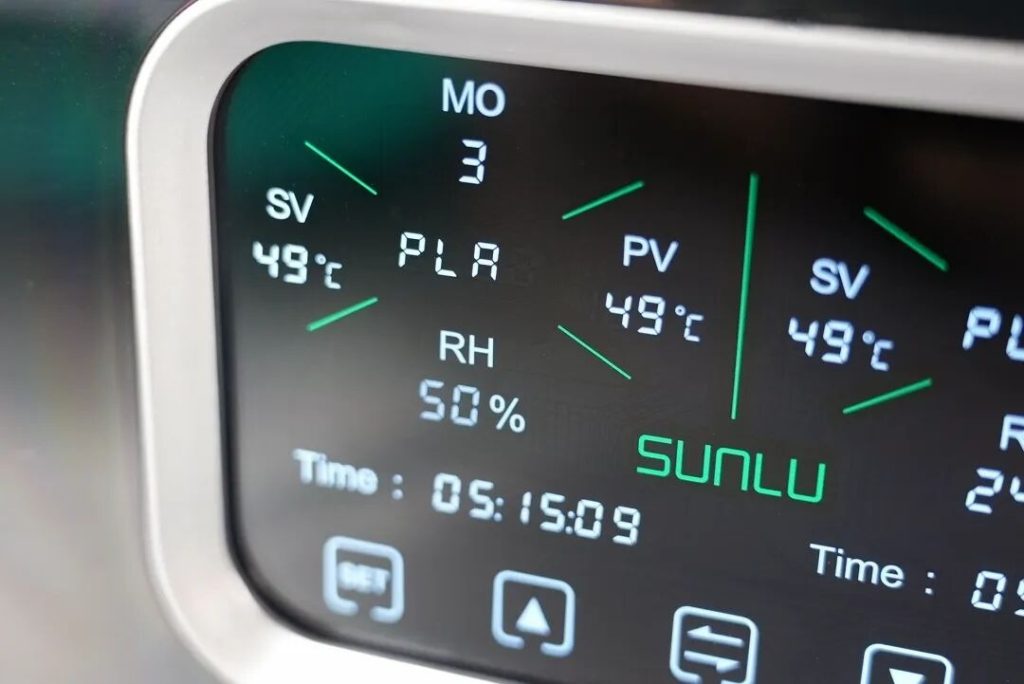
Using the settings button, you can switch to “MO2” Annealing Mode. This enables one-click annealing for engineering materials like PC, effectively improving the structural performance of your printed parts.
Switching to “MO3” Mode activates the Constant Humidity Mode:
- Users can set a maximum humidity threshold (up to 50%).
- When the internal chamber humidity exceeds this value, the device automatically triggers the heater.
- Once humidity drops back down to 25%, it automatically stops running.
This ensures that even during long-term storage, you never have to worry about forgetting to dry your filament.
3. Performance Testing
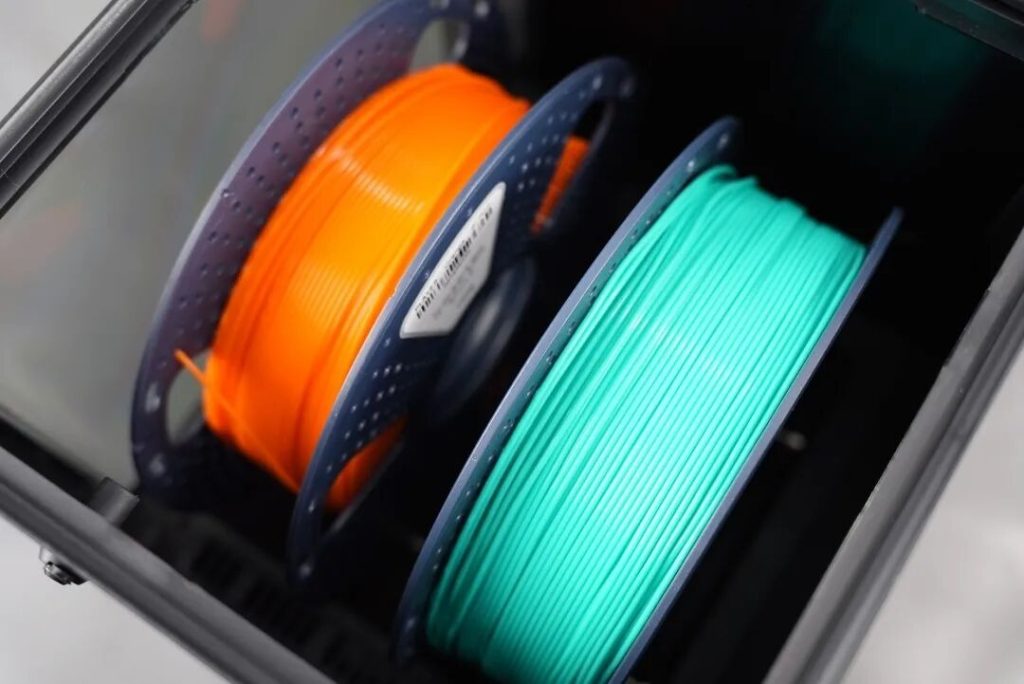
Once the power is connected, the switch flipped, and filament loaded, the S4 Pro is ready to work. For beginners, the built-in presets for PLA, PETG, TPU, ABS, PA, and PC mean you only need to select your material type, and the system automatically applies the correct drying parameters.
Of course, users can also customize the drying temperature and time via the touch controls. During actual testing, the S4 Pro heated up incredibly fast: it reached 75°C in just 14 minutes from room temperature, and hit 85°C in 20 minutes.
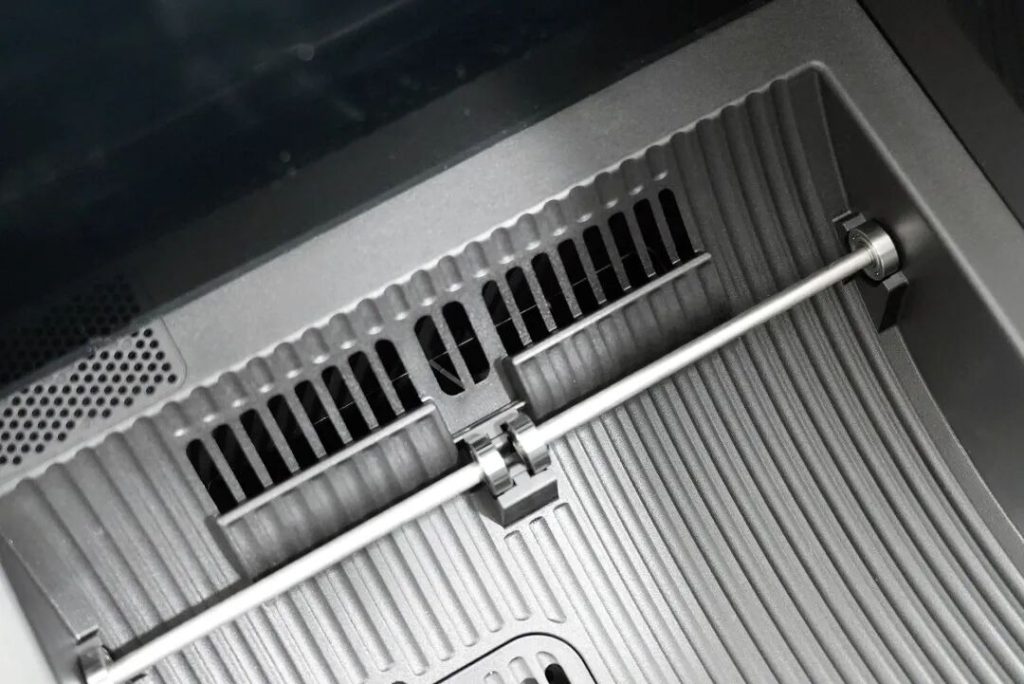
This efficiency is driven by its built-in dual 300W PTC heaters combined with a dual-fan circulation system, which ensures highly effective hot air distribution.
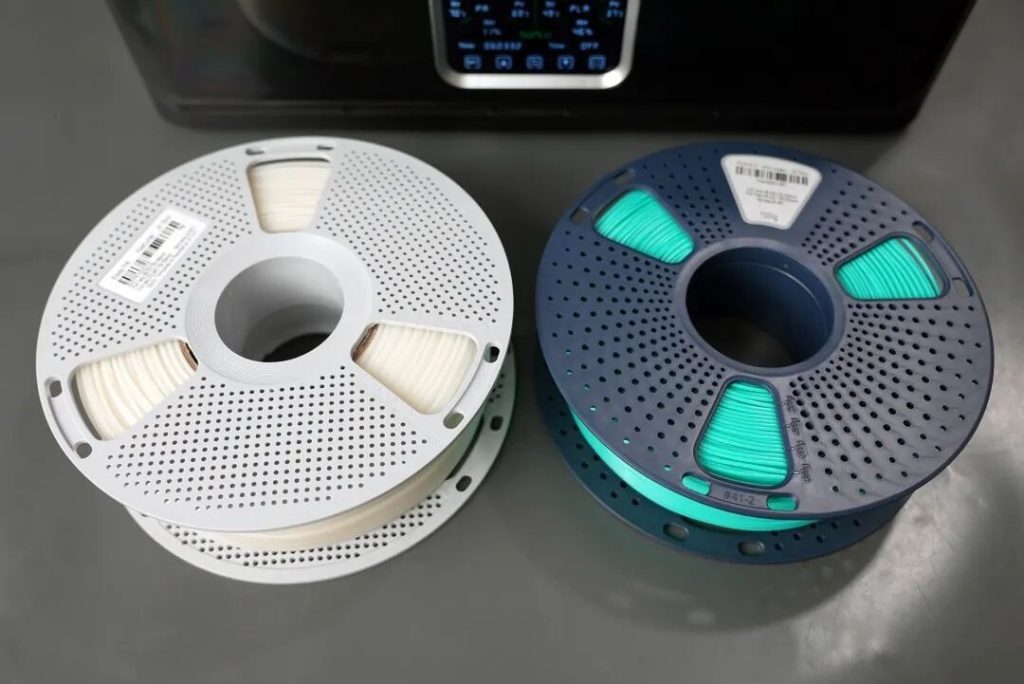
In our real-world test, we placed a roll of Sunlu PA filament in the left chamber and ran it at the default recommended 70°C for 8 hours. Simultaneously, we placed PLA in the right chamber at 50°C for 6 hours. After drying, moisture issues like stringing were drastically reduced, and the overall print quality saw a clear upgrade.
Conclusion
If you are hunting for a highly cost-effective 3D printing filament dryer, Sunlu’s latest S4 Pro is undoubtedly worth your attention.
It doesn’t just hold 4 rolls of 1 kg filament; its dual-zone architecture allows you to dry completely different materials at the same time. Crucially, Sunlu has democratized features like annealing and constant humidity from their premium E2 model down to the S4 Pro. This elevates it beyond a basic dryer into an all-in-one multi-functional workstation for drying, moisture prevention, annealing, and storage.
During operation, the S4 Pro runs remarkably quietly, without generating the intrusive noise typical of 3D printers. The only minor drawback is that the display interface is currently English-only. While this won’t hinder daily use, adding a localized Chinese display option via future revisions would improve user experience further.
- If you have a tight budget and only need basic drying features, Sunlu’s S1 and S2 remain perfectly adequate entry-level options.
- If you frequently print engineering materials and have a budget over 1,000 RMB, the high-end E2—which supports drying and annealing temperatures up to 110°C—will be a better fit.